

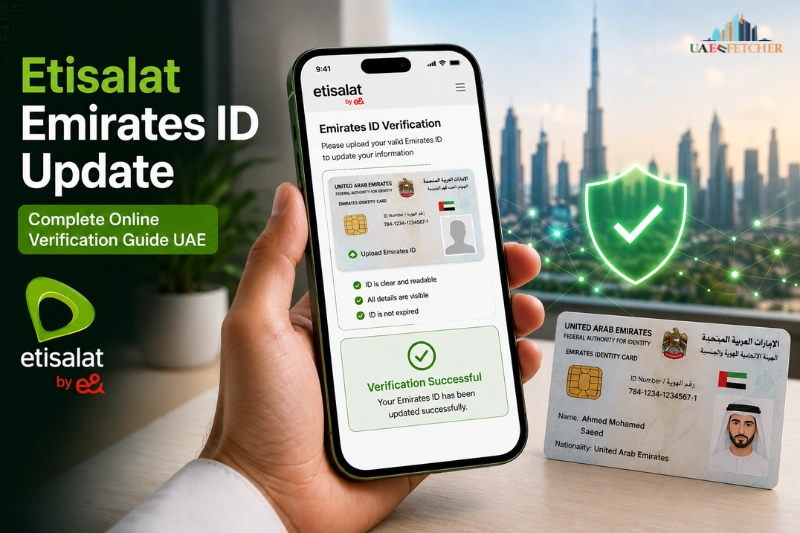
Keeping your mobile number verified is an important part of using telecom services in the UAE. If you are using a SIM card from Etisalat by e&, you may receive notifications asking you to complete an Etisalat Emirates ID update. This process helps confirm your identity, maintain active telecom services, and comply with UAE regulations.
Many residents ignore these notifications until their SIM services become limited or temporarily suspended. However, updating your Emirates ID is usually a quick process that can be completed online, through the mobile app, or by visiting a customer service center.
In this detailed guide, you will learn how to complete an Etisalat Emirates ID update online, what documents are required, how long verification takes, and how to solve common verification problems. Whether you are a prepaid or postpaid user, this article explains everything simply and practically.
Why Etisalat Requires Emirates ID Update
The UAE telecom industry follows strict customer verification rules. Mobile users are required to link their SIM cards with a valid identity document to ensure security and regulatory compliance.
The Telecommunications and Digital Government Regulatory Authority requires telecom providers to maintain updated customer records. This is why Etisalat periodically asks users to verify or renew their Emirates ID details.
Without proper verification, telecom companies may restrict certain services to protect customer accounts and prevent unauthorized usage.
Importance of SIM Verification
Updating your Emirates ID helps:
- Verify SIM ownership
- Prevent identity misuse
- Maintain uninterrupted telecom services
- Secure customer accounts
- Meet UAE telecom compliance standards
The verification process also supports digital identity protection across telecom platforms in the UAE.
What Happens If You Do Not Update Your Emirates ID
Ignoring update notifications can create several problems for mobile users. In many cases, users experience partial restrictions before complete suspension.
Common issues include:
| Problem | Possible Result |
| Expired Emirates ID | SIM verification failure |
| Ignored update request | Temporary service suspension |
| Unverified SIM | Outgoing calls blocked |
| Incomplete customer data | Limited telecom access |
If your Emirates ID has expired or changed recently, it is recommended to complete the verification process immediately.
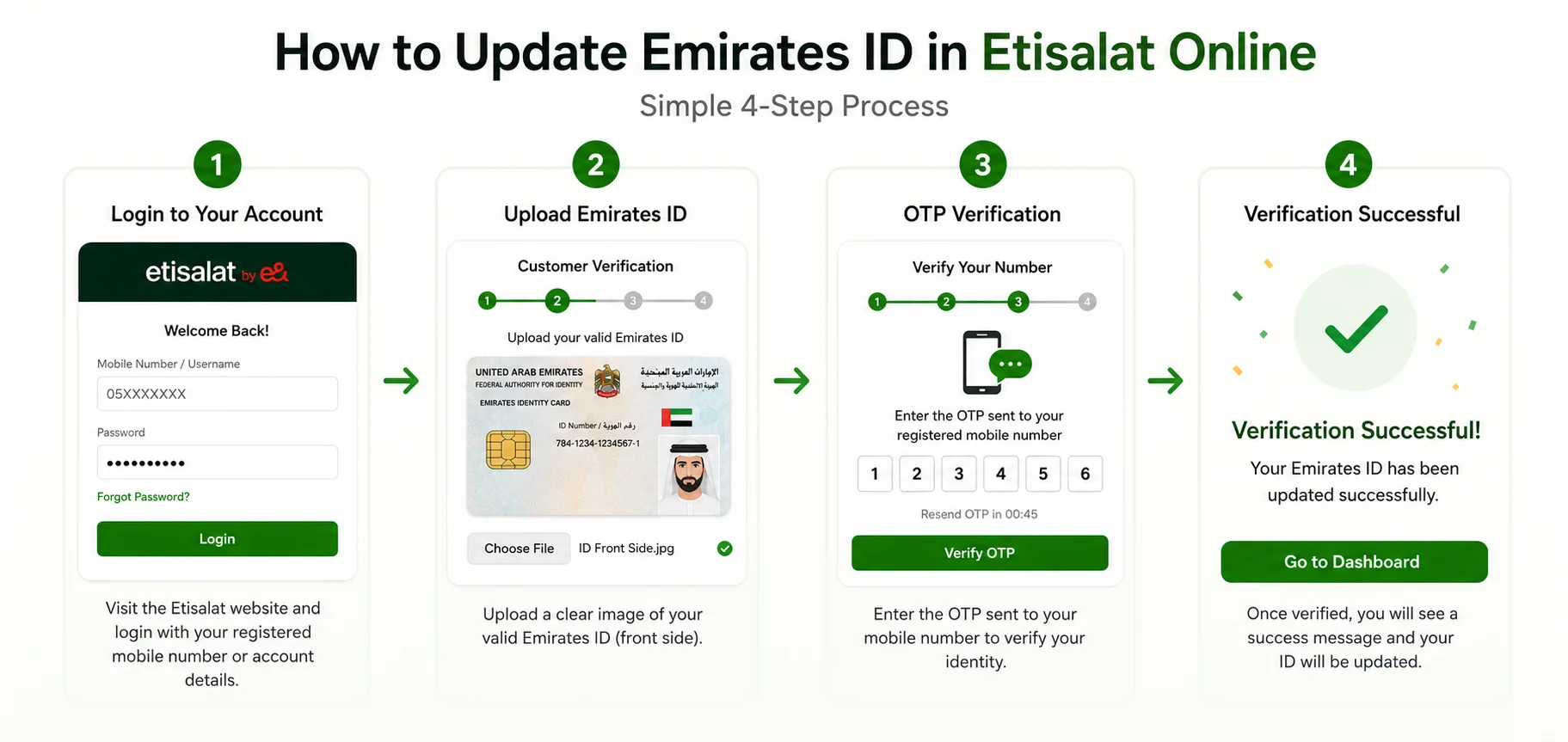
How to Update Emirates ID in Etisalat Online
One of the easiest methods is to complete the update process online. Most users prefer this option because it saves time and avoids store visits.
The online verification system allows users to upload documents securely and confirm their identity through OTP verification.
Update Through the Official Etisalat Website
You can update your information directly through the official customer portal.
Step 1: Visit the Official Website
Go to the official Etisalat by e& website and access your account.
Step 2: Login to Your Account
Enter your registered mobile number or account credentials.
Step 3: Access Verification Section
Navigate to the customer verification or profile update section.
Step 4: Upload Emirates ID
Upload a clear copy of your valid Emirates ID. Make sure the image is readable and not blurred.
Step 5: OTP Verification
An OTP may be sent to your registered mobile number to confirm ownership.
Step 6: Submit Request
After submission, your request enters the verification process.
Most online verification requests are processed within a short time if the documents are valid.
How to Update Emirates ID Through the Etisalat App
Many users now prefer using the mobile application because it provides faster account access and easier document uploads.
The app supports:
- Customer authentication
- Digital verification
- Secure document upload
- Mobile account management
Steps to Update Through the Mobile App
Download and Open the App
Install the official Etisalat application on your smartphone.
Sign In
Use your mobile number or account details to log in securely.
Open Account Settings
Go to your profile or verification section.
Upload Emirates ID
Take a clear picture or upload a scanned copy of your ID card.
Complete Verification
Confirm the request and wait for approval confirmation.
Using the app is often more convenient because users can complete the process without visiting a branch.
How to Update Emirates ID by Visiting an Etisalat Store
Some users prefer in-person verification, especially if online verification fails or biometric confirmation is required.
Visiting an official store may also help resolve issues related to account ownership or expired documents.
Documents Required
Before visiting a customer service center, prepare the following:
- Original Emirates ID
- Registered mobile number
- Passport copy (sometimes required)
- Visa page copy for additional verification
Providing valid documents speeds up the verification process.
Biometric Verification Process
In some cases, customers may need biometric authentication. This may include:
- Face verification
- Fingerprint scanning
- Identity confirmation
Biometric verification helps improve telecom security and customer protection.
Processing Time at Service Centers
Most store-based updates are completed quickly if all documents are valid.
However, delays may occur during:
- Public holidays
- System maintenance
- Incomplete documentation
- High customer traffic
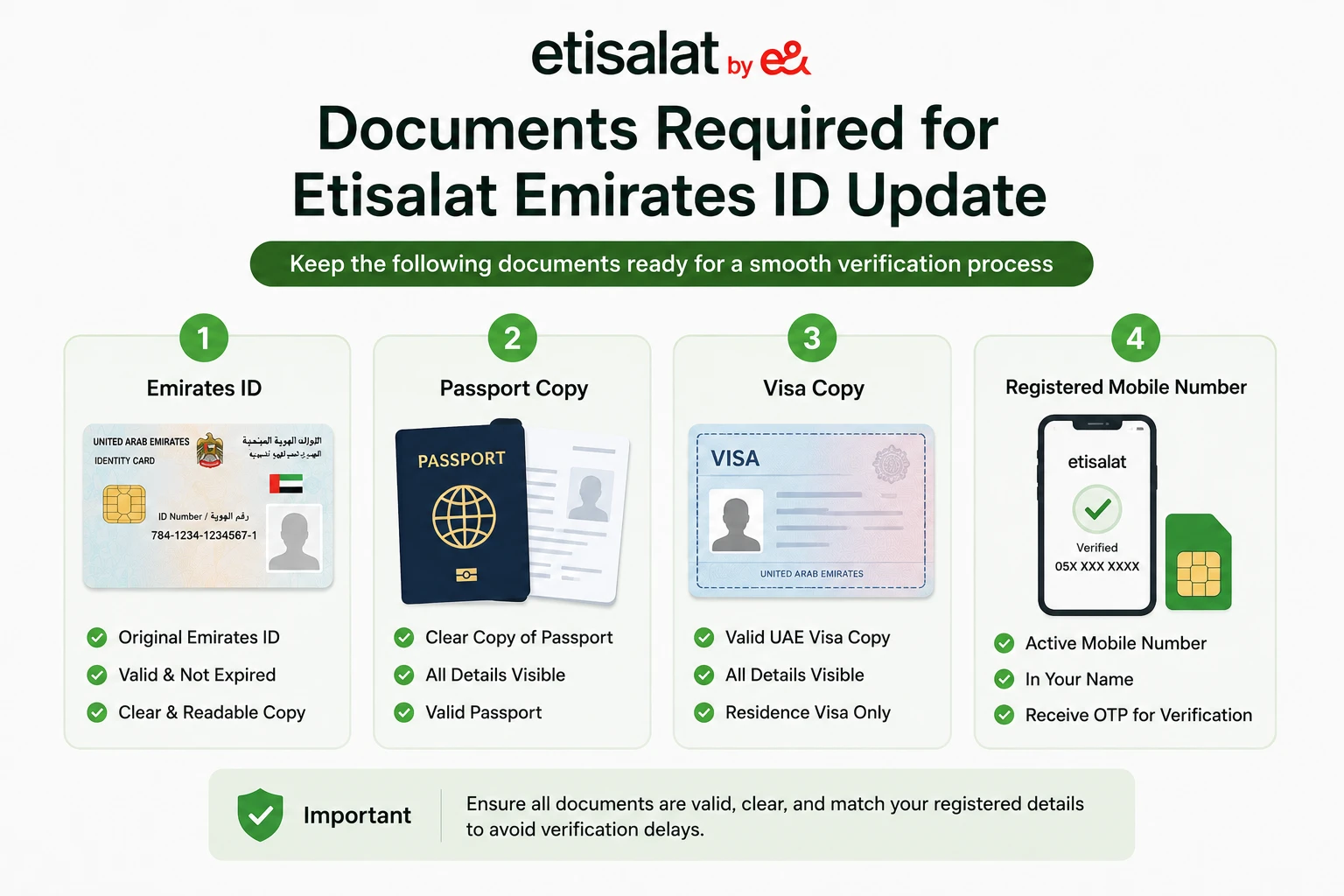
Documents Required for Etisalat Emirates ID Update
The verification process depends heavily on document quality and validity. Submitting incorrect or expired documents is one of the main reasons for rejection.
Valid Emirates ID
Your Emirates ID should:
- Be clear and readable
- Match your registered details
- Not be heavily damaged
- Be legally valid
If your Emirates ID is under renewal, additional documents may sometimes be requested.
Expired Emirates ID Cases
Users with expired IDs may face temporary restrictions until updated records are provided.
In certain situations, Etisalat may accept:
- Emirates ID renewal receipt
- Temporary identification confirmation
- Supporting government documents
However, final approval depends on telecom compliance requirements.
Additional Verification Documents
Some business or corporate users may need:
- Trade license copy
- Company authorization letter
- Passport copy
- Visa details
These requirements are common for corporate telecom accounts.
How to Check If Your Emirates ID Update Was Successful
After submitting the update request, users naturally want confirmation that the process is completed successfully.
There are multiple ways to verify your status.
SMS Confirmation
Most customers receive a confirmation message after successful verification.
This SMS usually confirms:
- Account verification
- Successful ID update
- Active telecom services
Verification Through the App
You can also check account status through the mobile application.
Look for:
- Verification completed message
- Updated customer profile
- Verified account badge
Customer Support Verification
If you do not receive confirmation, contacting customer support is recommended.
Support representatives can check:
- Verification status
- Pending requests
- Document approval progress
Common Etisalat Emirates ID Update Problems and Solutions
Although the process is generally simple, users may still encounter technical or verification issues.
Understanding common problems helps avoid delays.
OTP Not Received
This is one of the most common problems during online verification.
Possible reasons include:
- Network issues
- Incorrect mobile number
- Delayed SMS delivery
Try restarting your phone or requesting another OTP.
Emirates ID Upload Failed
Document upload failures usually happen because of:
- Large image size
- Blurry photos
- Unsupported file format
- Poor internet connection
Use a high-quality image and a stable internet connection.
Verification Pending for Too Long
Sometimes requests remain under review for longer periods.
This may happen due to:
- Manual verification
- Public holidays
- High request volume
- Missing details
Waiting 24–48 hours is usually recommended before contacting support.
SIM Not Registered Under Your Name
If the SIM ownership details do not match your Emirates ID, the verification request may fail.
In such situations, users may need:
- Ownership transfer
- Additional verification
- Store visit confirmation
This issue commonly affects older prepaid SIM cards.
Etisalat Emirates ID Update for Prepaid Users
Prepaid users are also required to maintain updated identity records.
Telecom regulations apply equally to prepaid and postpaid connections in the UAE.
Why Prepaid Verification Is Important
Prepaid verification helps:
- Prevent unauthorized SIM usage
- Reduce identity fraud
- Improve telecom security
Unverified prepaid SIM cards may eventually stop working.
Common Prepaid User Issues
Prepaid users often experience:
- Expired registration
- Lost ownership details
- Inactive SIM status
Completing the verification process helps restore account stability.
Etisalat Emirates ID Update for Postpaid Users
Postpaid customers may have additional account services linked to their mobile number.
This makes identity verification even more important.
Services Linked With Postpaid Accounts
Postpaid accounts may include:
- Monthly billing
- Family plans
- International roaming
- Device financing
Updating the Emirates ID ensures uninterrupted access to these services.
Corporate and Business Accounts
Business users may need additional company verification.
Corporate telecom accounts usually require:
- Authorized representative confirmation
- Company documents
- Trade license validation
Business verification processes may take longer than personal accounts.
How Long Does Etisalat Emirates ID Verification Take?
Processing time depends on the verification method and document quality.
Most online requests are processed relatively quickly.
Typical Verification Time
| Verification Method | Estimated Processing Time |
| Mobile app update | A few minutes to several hours |
| Online portal | Usually within 24 hours |
| Store verification | Often completed the same day |
| Manual review cases | 1–3 business days |
Delays may occur during peak periods or system updates.
Factors That Affect Processing Speed
Several factors influence verification approval:
- Document clarity
- Accurate customer information
- Active mobile number
- System traffic
- Telecom compliance review
Providing correct details from the beginning helps avoid delays.
Benefits of Updating Emirates ID in Etisalat
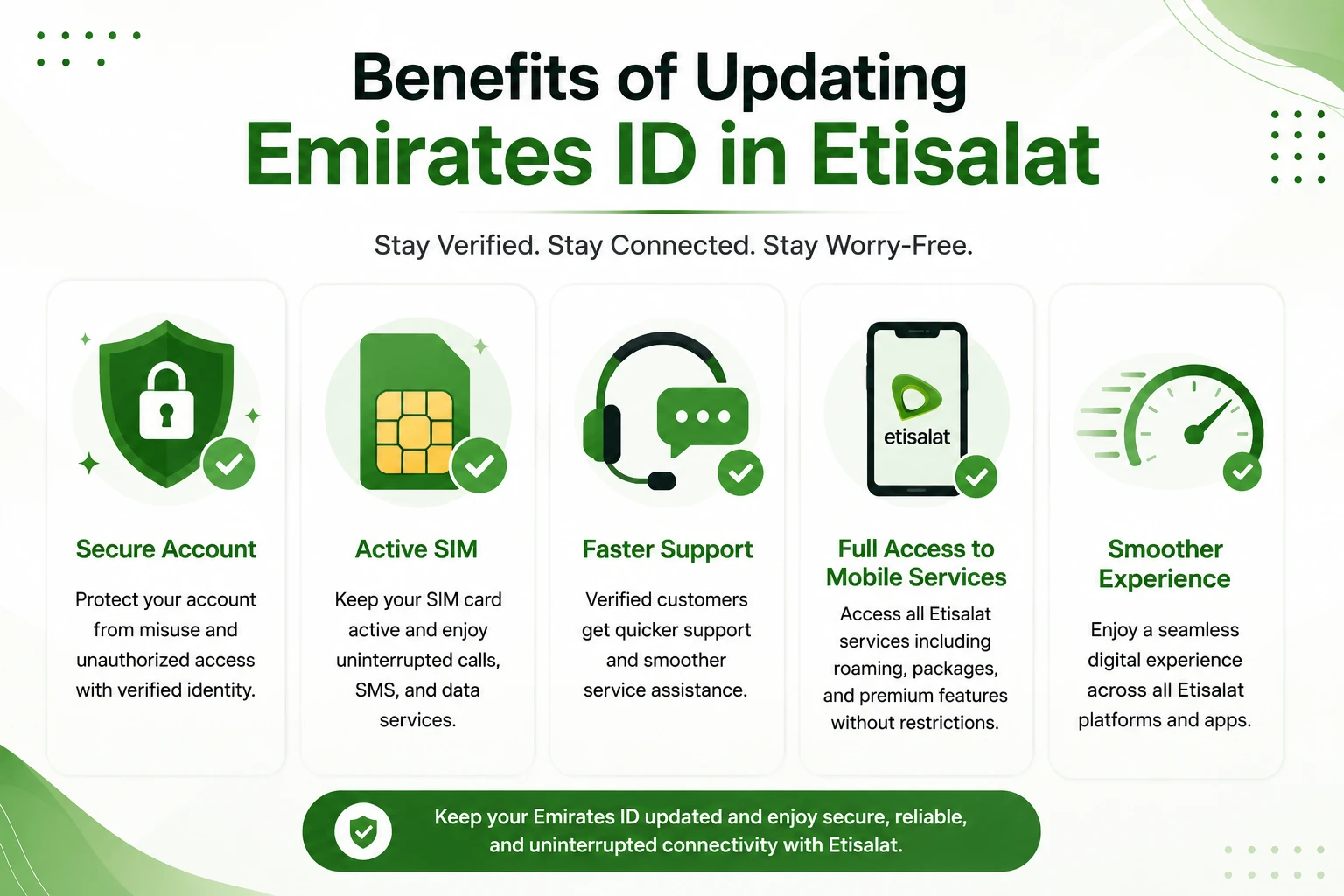
Keeping your customer information updated offers multiple benefits beyond regulatory compliance.
Uninterrupted Mobile Services
Users can continue using:
- Calls
- SMS services
- Internet packages
- International roaming
Without interruptions.
Improved Account Security
Identity verification protects users from:
- SIM misuse
- Unauthorized account access
- Fraudulent activity
Secure customer authentication is a major advantage of updated records.
Faster Customer Support
Verified customers often receive smoother account assistance because their identity records are already confirmed.
This reduces delays during support requests.
Better Digital Service Access
Many telecom services now rely on digital verification systems.
Verified users can access:
- Online account management
- Mobile app features
- Digital payments
- Advanced telecom services
More easily.
Tips to Avoid Emirates ID Verification Problems
Many verification issues happen because users submit incorrect information or incomplete documents.
Following a few best practices can improve approval speed.
Use Clear Documents
Ensure uploaded images are:
- Bright and readable
- Properly cropped
- Not blurry
- Complete from all sides
Poor-quality images often trigger rejection.
Keep Your Mobile Number Active
Inactive or blocked numbers may fail OTP verification.
Always verify that your number can receive messages.
Update Before Expiry
Do not wait until your Emirates ID expires.
Early updates help avoid service interruptions and compliance issues.
Match Customer Information Correctly
Your Emirates ID details should match:
- Registered mobile account
- Full legal name
- Date of birth
- Nationality details
Mismatched information can delay approval.
UAE Telecom Regulations and Customer Verification
Telecom companies in the UAE operate under strict identity verification standards.
These regulations aim to improve:
- National telecom security
- Fraud prevention
- Digital identity protection
- Customer authentication
Users are expected to maintain valid identity records to continue using telecom services without restrictions.
This verification system also helps improve the overall security of digital communication platforms in the UAE.
Difference Between Emirates ID Renewal and SIM Verification
Many users confuse Emirates ID renewal with telecom verification.
These are related but different processes.
| Process | Purpose |
| Emirates ID renewal | Renew government-issued ID |
| Etisalat verification | Update SIM registration records |
Renewing your Emirates ID does not automatically update telecom records. Users usually need to complete the verification process separately.
Conclusion
Completing an Etisalat Emirates ID update is an essential step for maintaining uninterrupted telecom services in the UAE. Whether you use prepaid or postpaid connections, keeping your identity records updated helps ensure compliance, account security, and smooth access to mobile services.
Fortunately, the process is now easier than ever. Users can complete verification online, through the mobile application, or by visiting a customer support center. By submitting valid documents and accurate details, most verification requests are processed quickly.
If you receive a verification notification from Etisalat by e&, it is best to complete the update as early as possible to avoid service interruptions and maintain full access to telecom features in the UAE.
Must Read Related Posts:
Smart and Simple Ways to Recharge Etisalat in UAE
Official Emirates ID Status Check Online
Frequently Asked Questions
How can I update my Emirates ID in Etisalat online?
You can update your Emirates ID through the official website or mobile app by uploading valid identification documents and completing OTP verification.
Is an Emirates ID mandatory for Etisalat SIM cards?
Yes, telecom regulations in the UAE require SIM cards to be linked with valid identity records.
Can I update my Emirates ID through the Etisalat app?
Yes, the mobile application allows users to complete digital verification and upload documents securely.
What happens if my Emirates ID expires?
Expired Emirates IDs may lead to service restrictions until updated documents are provided.
How long does verification take?
Most requests are processed within a few hours to one business day, although manual review cases may take longer.
Why is my verification request pending?
Pending requests may happen due to high traffic, unclear documents, or manual compliance checks.
Can prepaid users complete online verification?
Yes, prepaid users can also complete Emirates ID updates online or through the mobile app.