


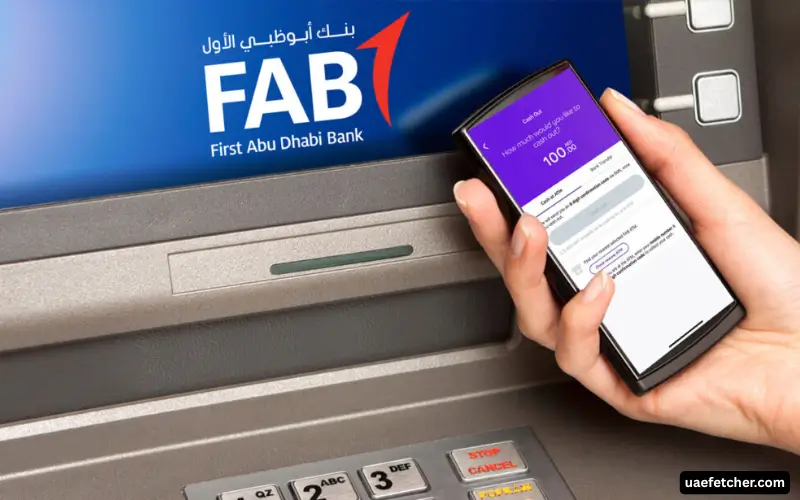
You can check your FAB account balance at a FAB ATM using your debit card. The ATM balance inquiry service lets you view your account balance without withdrawing cash. FAB also provides digital banking options, including FAB Mobile, where customers can view account balances and transaction details.
To check your balance at an ATM, take your FAB debit card to a FAB ATM, enter your PIN, choose the balance inquiry option, and follow the instructions on the screen. The exact wording and screen layout can vary by ATM and service.
Can You Check Your FAB Balance at an ATM?
Yes. FAB provides ATM services that allow customers to check their account balance. FAB specifically states that customers with its Islamic debit card can request a mini statement or check their balance at any FAB ATM, confirming that balance inquiry forms part of its ATM services.
For a normal FAB debit card, the available ATM options depend on the card and account services attached to it. If you need a current balance, an ATM balance inquiry can be useful when you are already near a FAB ATM and do not want to use mobile banking.
A balance inquiry does not mean you need to withdraw money. You can simply check the available account information and end the ATM session.
What Do You Need for a FAB ATM Balance Check?
You normally need your FAB debit or ATM card and its PIN. The card connects the ATM transaction to your eligible FAB account, while the PIN helps authenticate the transaction.
Keep your PIN private and never share it with another person. When entering the PIN at an ATM, cover the keypad with your hand so other people cannot see the numbers.
You should also use a genuine FAB ATM or another ATM that supports the relevant card network and service. FAB provides a branch and ATM locator through its official website to help customers find its banking locations.
Must Visit: FAB Balance Check: Easy Ways to Check Your FAB Account Balance
How to Check FAB Account Balance at an ATM
The process is straightforward, although the exact menu names can differ between machines.
Step 1: Find a FAB ATM
Start by finding a FAB ATM in your area. FAB provides an official branch and ATM locator, so use the bank’s own locator when you need a current ATM location.
If you already use a FAB ATM regularly, you can go directly to that location. Check that the machine supports your card and the service you need.
Step 2: Insert Your FAB Card
Insert your FAB debit card into the ATM and wait for the machine to read it. Follow the instructions shown on the screen.
Some modern ATMs may offer different card-reading methods. Follow the instructions displayed by the specific machine instead of assuming that every FAB ATM uses the same interface.
Step 3: Enter Your PIN
Enter your card PIN carefully. Cover the keypad while entering it and avoid entering random numbers if you cannot remember the correct PIN.
If you enter the wrong PIN, follow the instructions provided by the ATM or FAB. Do not repeatedly guess your PIN.
Step 4: Select Balance Inquiry
Look for an option such as Balance Inquiry, Balance, or a similar account-information option. Select the relevant option and follow the instructions on the screen.
The menu can change as FAB updates its ATM services, so the wording you see may not exactly match instructions published elsewhere.
Step 5: Check Your Account Balance
The ATM will display the relevant balance information available through the service. Review the amount carefully before ending the transaction.
If the ATM offers a receipt or additional account information, you can follow the on-screen instructions if you need a record. Not every ATM or card service necessarily provides the same options.
Step 6: Finish the Transaction
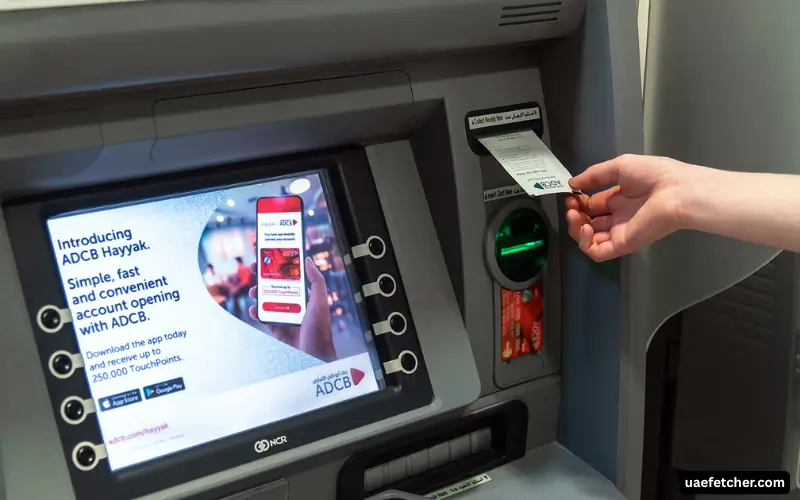
Once you have checked your balance, end the ATM session and collect your card. If you request a receipt, take it with you rather than leaving it at the machine.
Always make sure the ATM has returned your card before you leave.
What Information Can You Check at a FAB ATM?
The main purpose of a balance inquiry is to show your account balance. Depending on the card and ATM service, you may also have access to additional account information.
FAB confirms that its Islamic debit card customers can request a mini statement or check their balance at a FAB ATM.
A balance inquiry and a mini statement serve different purposes:
| ATM Service | Purpose |
| Balance inquiry | Check the account balance |
| Mini statement | Review recent account activity, where available |
| Cash withdrawal | Take cash from the account |
| Other ATM services | Access additional services supported by the card and ATM |
Do not confuse an account balance with the amount you can safely spend. Pending transactions or other account activity can affect the amount available for use.
FAB ATM Balance Check vs FAB Mobile
You do not need to visit an ATM every time you want to know your FAB balance. FAB Mobile currently allows customers to view account balances and transaction details. The app also supports transaction searches and downloading transaction history.
An ATM can make sense when you are already using one for cash or another banking service. FAB Mobile can make more sense when you only want to check your balance from your phone.
| Method | Main Use |
| FAB ATM | Check balance while using an ATM |
| FAB Mobile | Check balance and transaction details from your phone |
| FAB Online Banking | Manage and review banking information online |
| FAB Customer Support | Get help with account or card problems |
FAB’s current mobile banking service supports account and card management and lets customers check balances and review transactions.
How to Check Your FAB Balance Without an ATM
If you do not have access to a FAB ATM, FAB Mobile provides a direct alternative. FAB states that its mobile app lets customers view account balances, transaction details, transaction history, and other account information.
Check Your Balance Through FAB Mobile
Open FAB Mobile and sign in to your account. From the available account information, you can view your balance and transaction details.
FAB currently lists balance viewing, transaction searches, transaction-history downloads, e-statements, IBAN information, and several other account services within the app.
If you cannot access the app, check your internet connection and make sure you use the latest available version. FAB also provides a service-status page that shows the availability of several digital banking services.
Use FAB Online Banking
Online banking gives customers another way to access their banking information without visiting an ATM. Use the official FAB website and sign in through the bank’s current online banking service.
Avoid entering your banking credentials into links received from unknown messages, social media accounts, or unofficial websites.
Is FAB ATM Balance Inquiry Free?
FAB’s latest available Service & Price Guide for personal accounts, updated in April 2026, lists balance enquiry transactions at FAB ATMs as free. The same guide lists separate charges for balance inquiries at other banks’ ATMs, so customers should distinguish between using a FAB ATM and another bank’s ATM.
Fees can change, so check FAB’s latest service and price guide before relying on an older fee amount. Other ATM transactions, such as cash withdrawals or services involving another bank’s ATM, can have different charges and conditions.
What If Your FAB ATM Balance Looks Different?
A balance shown through an ATM may not always match the amount you expected. Check your recent transactions before assuming that the ATM made an error.
Pending card payments, recent transfers, deposits, withdrawals, or other account activity can affect the amount available in your account. FAB Mobile can help you review transaction details and search your account activity.
If you still cannot explain the difference, contact FAB through an official support channel and ask the bank to review the account activity.
What If the FAB ATM Does Not Show Your Balance?
An ATM may not complete a balance inquiry because of a temporary service issue, card problem, PIN issue, or another technical reason.
First, check that you used the correct card and PIN. If the ATM does not respond normally, do not keep repeating the transaction. You can try another FAB ATM or use FAB Mobile to check your account if you have access.
FAB also publishes a service-status page that lets customers check the availability of several banking services.
If the problem continues, contact FAB through its official customer support channels. This approach is safer than relying on phone numbers or contact details from unofficial websites.
Can You Check a FAB Credit Card Balance at an ATM?
A credit card balance is different from the balance of a current or savings account. A credit card can have information such as an outstanding amount, available credit, and payment details rather than the same type of account balance shown for a debit-card-linked bank account.
FAB Mobile supports management of both FAB accounts and credit cards, making it a useful option when you need to review card information.
If you specifically need to check a FAB credit card’s outstanding balance or available credit, use the credit card service provided by FAB rather than assuming that an ordinary account balance inquiry gives the information you need.
FAB ATM Balance Check Security Tips
Use these simple precautions whenever you check your balance at an ATM:
- Keep your debit card with you throughout the transaction.
- Cover the keypad while entering your PIN.
- Never tell another person your PIN.
- Do not accept unsolicited help from strangers at an ATM.
- Take your card and receipt before leaving.
- Check your transaction history if you notice an unfamiliar payment or withdrawal.
- Contact FAB promptly if you suspect unauthorized activity.
FAB also advises customers to use official communication and information channels and warns about fake investment opportunities promoted through social media and third-party advertisements.
FAB ATM Balance Check for Different Account Types
FAB offers several personal account types, including current and savings accounts. The services available through a debit card can depend on the specific account and card.
For example, FAB’s personal current and savings account pages list debit cards with ATM access and provide account-specific terms and limits. Those limits relate to cash withdrawals and purchases, however, so they should not be confused with a balance inquiry.
If you have a salary account, savings account, current account, Islamic account, or another FAB product, check the terms that apply to your specific card and account.
Conclusion
Checking your FAB balance at an ATM remains a practical option when you are already using a FAB machine. For regular balance checks, FAB Mobile can save a trip to the ATM because it provides direct access to account balances and transaction details from your phone.
For the latest ATM locations, service availability, fees, and account-specific conditions, use FAB’s official website and current banking information rather than relying on older third-party instructions.
You Also Like: PayPlus Card Balance Check Guide for First-Time Users
Frequently Asked Questions About FAB ATM Balance Check
How can I check my FAB balance at an ATM?
Insert your FAB debit card into a compatible FAB ATM, enter your PIN, select the balance inquiry option, and follow the instructions on the screen. The ATM will display the available balance information supported by your card and account.
What do I need for a FAB ATM balance check?
You generally need your FAB debit or ATM card and the correct PIN. Keep your PIN private and enter it carefully at the ATM.
Is FAB ATM balance inquiry free?
FAB’s April 2026 personal Service & Price Guide lists balance enquiry transactions at FAB ATMs as free. Charges can differ when you use another bank’s ATM, so check the latest FAB fee guide for current terms.
Can I check my FAB balance without visiting an ATM?
Yes. FAB Mobile lets customers view account balances and transaction details. FAB also provides online banking for customers who prefer to manage their accounts through the web.
Can I get a FAB mini statement from an ATM?
Yes, FAB specifically states that Islamic debit card customers can request a mini statement or check their balance at a FAB ATM. The available options can depend on the card and ATM service.
Why is my FAB ATM balance different from what I expected?
Recent payments, transfers, withdrawals, deposits, or other account activity can affect the balance. Review your transaction details through FAB Mobile or another official FAB banking channel before contacting the bank.
What should I do if the FAB ATM does not show my balance?
Check that you used the correct card and PIN, then try another FAB ATM or use FAB Mobile if you have access. If the problem continues, contact FAB through an official support channel.
Can I check my FAB balance through the mobile app?
Yes. FAB Mobile currently supports account balance and transaction-detail viewing. The app also provides transaction searches and transaction-history downloads.
